


Download free AI Product Photography For MagicAi
AI Product Photography Setup
If you are a beginner and have never worked Pebblely before, you will need
to create your account first.
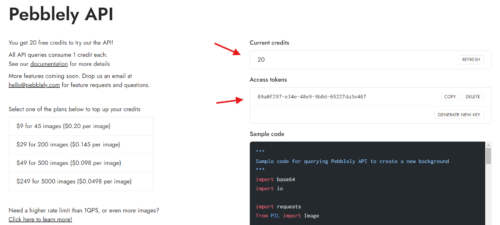
In the Pebblely panel, you can see your API key and remaining tokens.
Please copy the API key from there
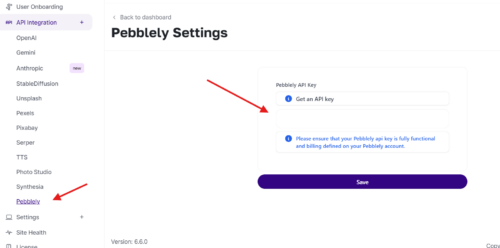
Paste the copied API key into the Pebblely section under the API
integration. The AI Product Photography feature will now be ready for use.
Decryption key:
AI Product Photography Setup
If you are a beginner and have never worked Pebblely before, you will need
to create your account first.
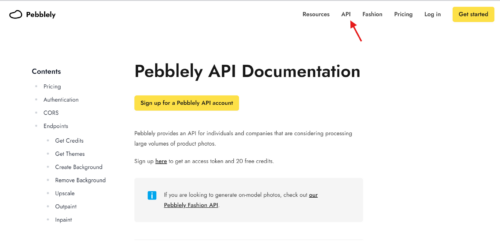
- After creating the account, everything is ready to begin the process of getting the API key. Visit the Pebblely to create an API key.
In the Pebblely panel, you can see your API key and remaining tokens.
Please copy the API key from there
Paste the copied API key into the Pebblely section under the API
integration. The AI Product Photography feature will now be ready for use.
Decryption key:


