


So, as a lot of you know, High Quality, Unoptimised Images can make the rest of your website suffer when it comes to your Website's Loading Speed and Size. I'm sure that a lot of us just upload the images to our WordPress Installation, then worry about the Technical Site Metrics after, however reuploading every image, after manually compressing it through Photoshop or another Program can be very time consuming, however, you don't have to!
Guide:
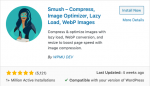
1. Install "Smush" Within Your WordPress Installation
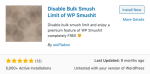
2. Install The "Disable Bulk Smush Limit Of WP SmushIt" Plugin
3. Activate Both Plugins Within Your Plugins List
4. Go To Your Smush Settings
5. Bulk Smush Your Images With No Limits!

Bonus: Setup Auto Smush For Your Newer Images!
Guide:
1. Install "Smush" Within Your WordPress Installation
2. Install The "Disable Bulk Smush Limit Of WP SmushIt" Plugin
3. Activate Both Plugins Within Your Plugins List
4. Go To Your Smush Settings
5. Bulk Smush Your Images With No Limits!
Bonus: Setup Auto Smush For Your Newer Images!


