This version contains changes in plugin styles and scripts. If you are using cache and/or CDN it’s strongly advised to clear and refresh the cache. If you are using plugin pre-compiled mode and a problem appears temporarily deactivate it from Advanced -> Optimizations and reactivate it again.
NewA new button size option for mobile devices was added to the share buttons#459
Added support for reading previously stored values in the Hubbub plugin. You can enable the integration from Advanced -> Integrations -> Hubbub#441
NEWA new option to disable the work of the Pin button generated from the Pinterest Pro module on a mobile device#440
NEWAdded support for reading previously stored values in the Novashare plugin. You can enable the integration from Advanced -> Integrations -> Novashare#438
NEWNew options to set rel="me" instead of "nofollow" to the Social Profile Links and Social Followers Counter#437
UPDATEDDeprecating the Pinterest description fields throughout the plugin, as Pinterest has moved to using Open Graph data instead of passing specific data through the individual links#442
UPDATEDRemoved Facebook Messenger Live chat due to function removal by Meta#439
FIXEDFixed a problem with the Chat modules not appearing in the plugin settings menu#436
Pixelfed added to social profiles/social followers network list. Network can be imported from the library.Go to the Library#430
NEWFlipboard added to social profiles/social followers network list. Network can be imported from the library.Go to the Library#429
NEWA new option in the Click to Tweet settings to change the default "Click to Tweet" text#426
NEWNew template for the sharable quotes matching X branding colors#425
UPDATEDRemoved from code the deprecated Skype Live chat option (Skype Web Chat API was disabled in 2021).#434
UPDATEDUpdated network preview components in the settings to show X (instead of Twitter). The option to change Twitter to X (or stay to Twitter) on the website exists and will work. #428
UPDATEDUpdated Navigator Share Button add-on (default system sharing command) add-on to meet the new SVG icons render.#427
UPDATEDUpdated sharable quotes (Click to Tweet) with X icon support#424
UPDATEDUpdated Functional Networks Pack add-on based on the latest style and SVG icon changes#423
UPDATEDUpdated dynamic stylesheet generator to provide integration with external networks from the add-ons#422
IMPROVEMENTSUpdate the order of the optimization options to show the most used on the top#435
FIXEDFixed Instagram widget continues to load even when the module is disabled causing sometimes errors in customizer#432
FIXEDFixed inconsistent appearance of SVG icons in the plugin settings#431
Download Easy Social Share Buttons v8.8 for WordPress Nulled Free
v8.8 - 2023-01-03
This version contains changes in plugin styles and scripts. If you are using cache and/or CDN it’s strongly advised to clear and refresh the cache. If you are using plugin pre-compiled mode and a problem appears temporarily deactivate it from Advanced -> Optimizations and reactivate it again. The version includes an additional license verification check. In case of a problem you will be asked to register the plugin again to verify the code.
NEWAdded Line network the the Profiles / Followers list (via the Library)#346
NEWAdded Google News network the the Profiles / Followers list (via the Library)#349
NEWAdded Gettr network the the Profiles / Followers list (via the Library)#350
NEWAdded Bitchute network the the Profiles / Followers list (via the Library)#351
NEWAdded Mastodon network the the Profiles / Followers list (via the Library)#352
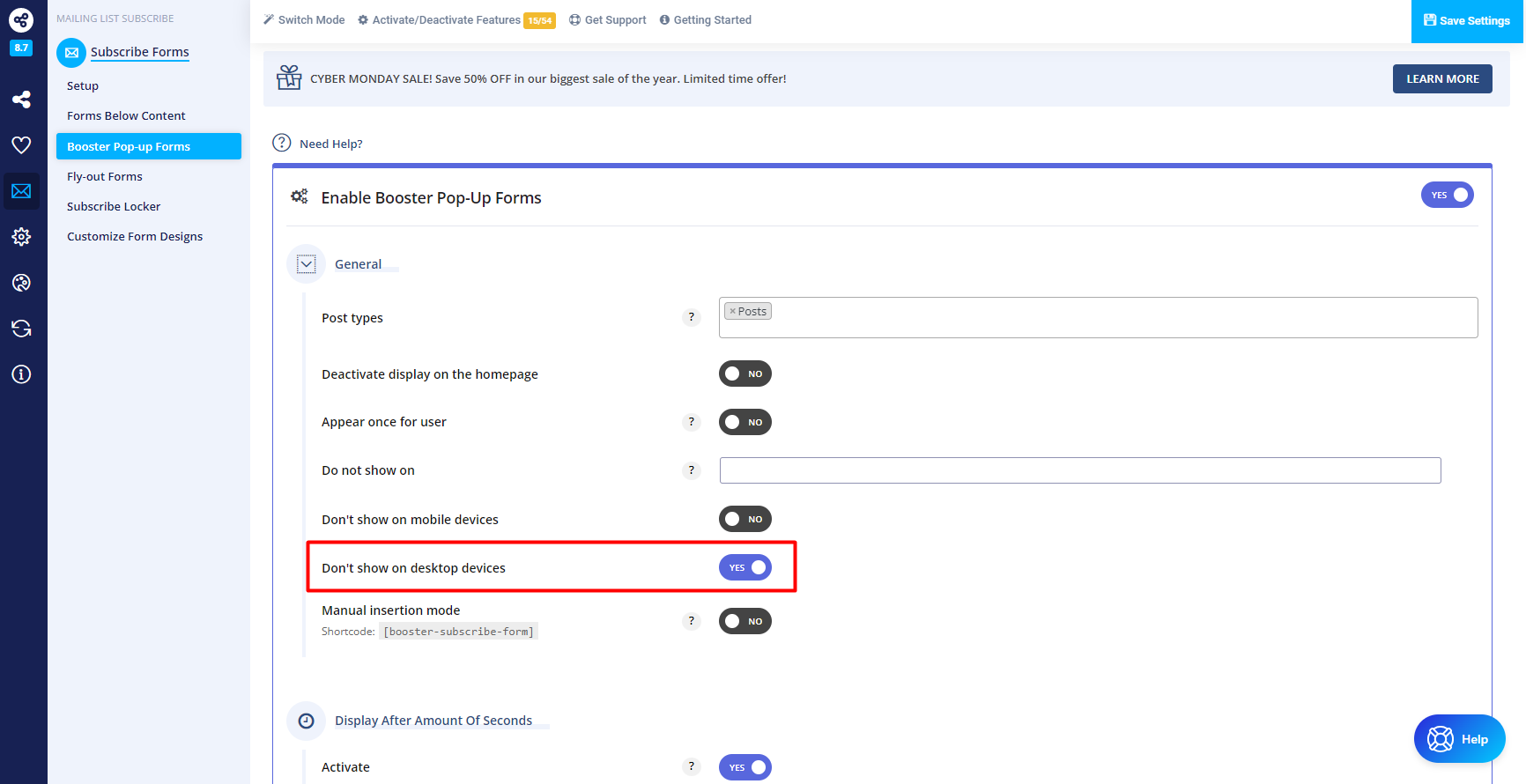
NEWNew option to hide the booster pop-up subscribe forms on a desktop#353
UPDATEDUpdated the Top Bar, Bottom Bar, Pop-up, Fly-in, and Booster share methods javascript to prevent a problem while loading asynchronous#348
IMPROVEMENTSChanged the share booster pop-up display priority so it will appear above the share buttons on a mobile device#354
IMPROVEMENTSAdded discernible name to the social followers counter buttons#355
IMPROVEMENTSbit.ly API v4 integration for the short URLs#356
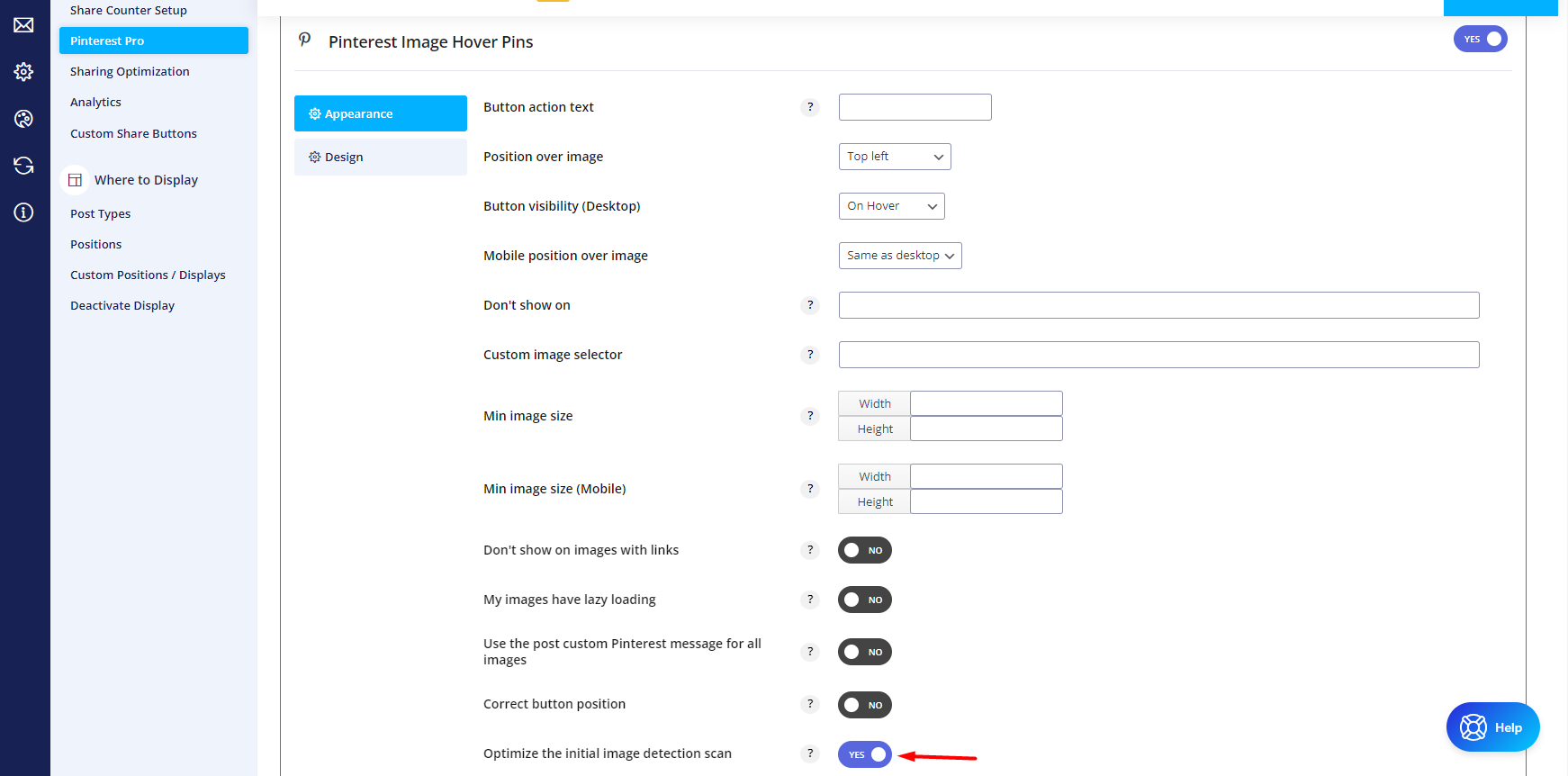
IMPROVEMENTSImprovements on Pinterest Pro "don't show on" option. The check will be executed each time when a scan for new images appears#357
FIXEDFixed a problem with the sharing pop-up don't show again option - the plugin does not store the technical cookie that says pop-up is shown and does not read correctly the saved value#347
Download Easy Social Share Buttons v8.7 for WordPress Nulled Free
v8.7 - November 2, 2022
This version contains changes in plugin styles and scripts. If you are using cache and/or CDN it’s strongly advised to clear and refresh the cache. If you are using plugin pre-compiled mode and a problem appears temporarily deactivate it from Advanced -> Optimizations and reactivate it again. The version includes an additional license verification check. In case of a problem you will be asked to register the plugin again to verify the code.
NEWClear stored conversions data (separate for the share buttons and subscribe forms) from the "Reset Settings & Data" menu.#345
NEWA new filter is available to replace the Pinterest Pro SVG icon with a custom#342
NEWNew option of the pre-compiled assets mode to store cache files for each page#341
NEWAdded the Wykop.pl social network in the profile/followers library#333
NEWNew option in the Pinterest Pro to activate the initial image scan after user interaction - touch, scroll, key.#332
IMPROVEMENTSAdded support for sending URLs with affiliate ID when using the form method (email button) and the AffiliateWP plugin#344
IMPROVEMENTSUpdate the pre-compiled assets mode cache to ensure that duplicate files won't be loaded and removed deprecated functions #340
IMPROVEMENTSUpdate on the Pinterest Pro module - font icon is replaced with an SVG icon#338
IMPROVEMENTSUpdate on the share point display method - replaced icon font with SVG, added hover background color options, and split the stylesheet into a separate file#337
IMPROVEMENTSEnhancements over the mobile share bar display method. Icon font is replaced with an inline SVG icon and new fields to customize the colors.#336
IMPROVEMENTSEnhancements over the mobile share point display method. Icon font is replaced with an inline SVG icon and new fields to customize the colors.#335
IMPROVEMENTSUpdated the share button display method with added new options to personalize hover and total colours. Icon font replaced with an SVG icon#334
FIXEDFix a problem with the social profiles/followers CSS styles are loaded twice when a shortcode is used in the content#339
Download Easy Social Share Buttons v8.6.2 for WordPress Nulled Free
v8.6.2 - September 5, 2022
Fixed a potential javascript console message for an error when the pre-compiled mode is used with minified files#331