


Easy Social Share Buttons for WordPress v11.6.1
No permission to download
- Author tanierlyons
- Creation date
-
Welcome to Babiato Forums!
📢 Join Babiato Official Telegram Channel For Updates
Bypass all resource restrictions, passwords, and keys? Read here!
You are using an out of date browser. It may not display this or other websites correctly.
You should upgrade or use an alternative browser.
You should upgrade or use an alternative browser.
Download Easy Social Share Buttons v7.1.2 for WordPress Nulled Free
v7.1.2 – May 1, 2020 - Thanks To @NullMaster
Fixed
- GENERALA potential problem with the mobile share bar display method
- GENERALa3 Lazy Loading Compatibility with Pinterest Pro

Download Easy Social Share Buttons v7.1.1 for WordPress Nulled Free
v7.1.1 – April 29, 2020 - Thanks To @NullMaster
Fixed
v7.1 – April 28, 2020
- GENERALPotential error message appearing on the backend if the TinyMCE buttons for Click to Tweet and Pinterest can’t load
- ERROR MESSAGE APPEARING IF THE LOVE BUTTON IS USED INSIDE MORE NETWORKS
New Features
Added
- Quick automation triggers included in the most commonly used components
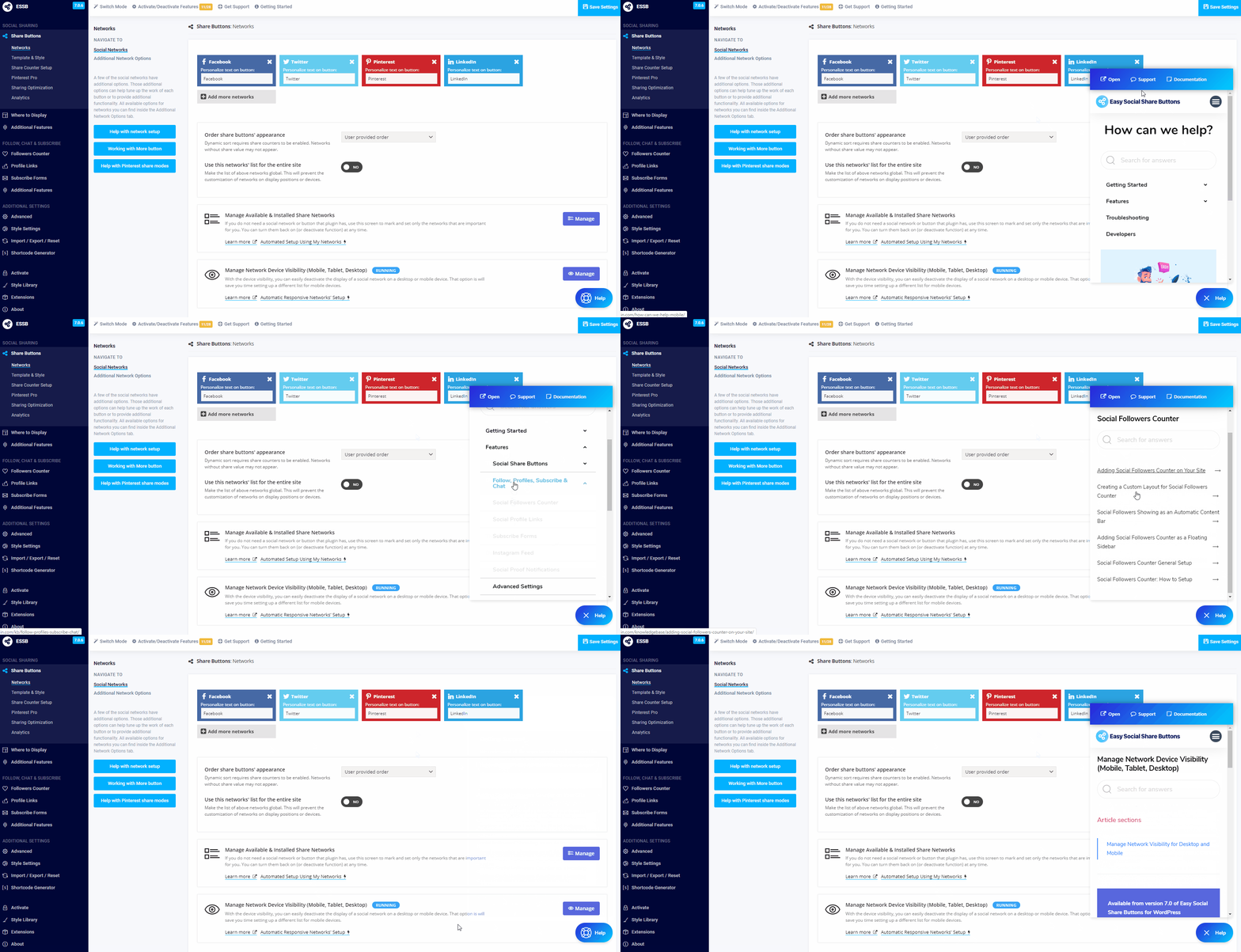
- New quick help button added. The button allows easy and fast access to the knowledge base. It will also open internal help links inside the frame (you can open it in a new screen any time)
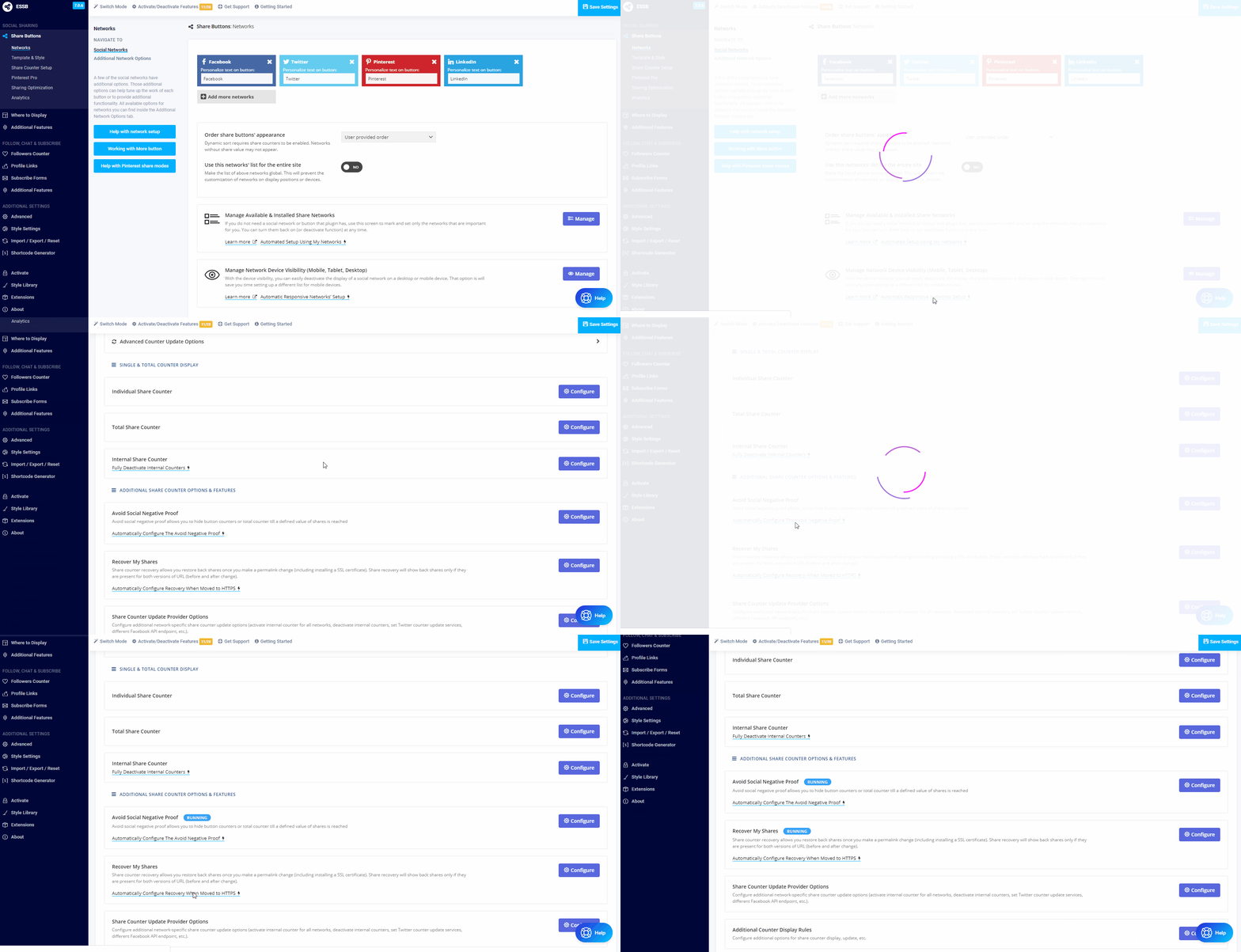
- Integrated subscribe button/forms in the Social Profile Links and Social Followers Counter. #37
- Enable usage of previous data stored in Social Warfare, Social Snap, Mashshare (share customizations on each post/page). #33 #32
Updated
- SHARE BUTTONSTotal loves column in the Admin Post List
- SHARE BUTTONSAdded new option to the custom displays for forcing archive post display
- SHARE BUTTONSAdd translation to the Copy Link button from the plugin menu #4
- PINTEREST PROPinterest Pro desktop button visibility control (on hover or always visible)
- PINTEREST PROImprove the mobile placement of the Pin button. #30
- SOCIAL FOLLOWERSFollowers counter value format added 10 000
Fixed
- SHARE BUTTONSUpdated email sending engine and code. Now the plugin will generate a full HTML body when the form is used. Also, a new field for sender name is added along with variables %%from_email%%, %%from_name%% and %%to_email%%
- SHARE BUTTONSAdd option to force content share display positions (top, bottom, shortcode) share the archive URL instead of a single post. #34
- PINTEREST PROPinterest Pin command to use button event instead of the bookmarklet
- PINTEREST PROPinterest sharing command to force re-pin if Pin ID is specified to the image
- PINTEREST PROAdded nofollow to Pinterest Pro shortcodes. #28
- GENERALUpdate the extension (add-on) list design and added a link to the helpful installation tutorial
- GENERALAdded internal link in the Twitter message composer to the related help article
- PINTEREST PRO/CLICK TO TWEETReturn back Pinterest Image and Click to Tweet direct icons in classic editor (like in past versions). #12
- GENERALThe manual open fly-in form essb_flyin_show() was not accessible. Added additional function essb_flyin_manual_show() to force manual-open all the time (in combination with automated display).
- GENERALPotential problem stopping scripts from work when the pop-up is set to manual display mode
- GENERALThe subscribe form below content shows on WooCommerce products when posts were enabled
- GENERALSome post types do not appear in the subscribe forms booster or subscribes form fly-out for selection #36
- GENERALError in UTM parameters encoding when attaching to the URL #27
- GENERALClick to Tweet and Copy URL does not read the short URL link #26
- GENERALPinterest Pro button not appearing on WooCommerce product images. #25
- GENERALStyles and scripts does not load properly when loading on selected IDs is enabled #22
- GENERALRight sidebar covering the entire width of site. #21
- GENERALInstagram Feed widget shows error occasionally #19
Download Easy Social Share Buttons v7.0.1 for WordPress Nulled Free
v7.0.1 – March 15, 2020
Improved
GENERALIncluded direct links to the quick start video guide in the About page and Getting Started wizard View Getting Started Videos →
Fixed
- SHARE BUTTONSTumbler share command not working #1
- INSTAGRAMThe conflict between Smashing Baloon and Easy Social Share Button Instagram feed. When the Instagram feed module is enabled the Smashing Baloon shortcode does not show feed. #3
- SHARE BUTTONSReturn compatibility for hovertext_$network in version 7 #5
- AFTER SHARE EVENTSError in After Share Events module appearing when the option to avoid mobile settings on a tablet is enabled #10
- GENERALDeactivate automated WPML & Polylang bridge does not save state #11
- SHARE BUTTONSSidebar not showing when to appear after or disappear before conditions where running #13
Download Easy Social Share Buttons v7.0 for WordPress Nulled Free
v7.0 b10 Posted: 01/03/2019
Download link: From the support topic (accessible for plugin customers only)
NEW
Updated
- New Module: Instagram widgets and shortcodes to show user/hashtag feed, embed a single image, etc.
- New Module: Social proof notifications lite for share buttons
- Entirely new and user-friendly plugin options screen
- Customer onboarding wizard through major plugin features
- Pinterest Pro: The minimal width and height has a different setting for desktop and mobile devices for better image targeting
- Share counter can show the site overall shares on all posts or pages
- Follow Me bar has a new option to show on the left bottom corner (like the sidebar)
- Option inside the subscribe forms to specify privacy terms link in a separate text element
- New network to Social Followers Counter & Social Profiles: Medium
- New option in share counter update to send only the main URL in the counter update command (without any query string parameters).
- [Sidebar] Option to hide when content buttons are visible
- Custom share buttons creator (you can include a completely custom button for sharing or general-purpose in the list of share networks, like the default)
- Homepage share counter generation based on all shares of the entire site
- Static Facebook like button added in the share networks list
- Copy link button added
- Options to hide share counters on the homepage and/or archive pages
- Lite stylesheet added – the plugin will deactivate few of design options and templates but use a core stylesheet that is half of the size of the default
- Fluid layout of share buttons added to the alignment
- 3 new share counter options are available in the single button counter
- General Click-to-Tweet options added for default username, hashtags, and template used on entire site
- Click-to-Tweet custom template builder
- Options to deactivate share buttons or plugin entirely based on URL
- BuddyPress Affiliate links support
- Added networks control for the after share events (select networks where the action will run)
- Added automated position settings from the Template & Style menu (apply recommended view for specific positions)
- Added automatic mobile settings from the Template & Style menu
- Stretched alignment for easy setup of the content share buttons
- Additional Sidebar display method options to change button size or location on the screen (middle is the default position right now)
- Added option to hide the share buttons on Elementor Page Builder editing mode
- Improved fake share counter feature with adding the multiplier option for the existing shares
- Added ability to set data-pin-id with for all images on a post
- Added option to force set custom Pin image on all images in a post in the data-pin-media
- Added singular/plural text option in settings for the total counter with a big number of shares
- Network responsive design controls to hide specific buttons on different device types
- Added custom list option to the subscribe forms. Each form can have a separate list ID (but under the same account)
- Added option to use the same network list from the global settings everywhere (from Social Sharing -> Networks menu)
- SharedCount.com added as supported Facebook share counter update source
- Subscribe forms confirmation text can have a link to the terms or privacy page
- (BETA) Automatic assign Pinterest sharing message on all images
- (BETA) Responsive image detector – scan thumbnail images for the possible full size and assign it for sharing over Pinterest
- Option to fully deactivate meta boxes of the plugin in the Admin
- Added in the Integration settings option to deactivate social share optimization tags generated by Rank Math
- Added in display position settings for Post Vertical Float additional bottom offset field to correct the disappear position (accept number value)
- Added Xing in social profiles and social followers counter
- Added option inside Advanced -> Optimization Options to load the custom styles only for used positions on-site (active by default on new installations)
- Subscribe forms pop-up can now be displayed also in manual mode with a javascript function call or automatic assignment on class or ID
- Added option in Advanced -> Advanced Options to allow selection of external images (offloaded on CDN) for share optimization
- Added a column with the total shares for posts and pages in the WordPress Admin. The data is filled with the share counter update (if counters are not used it will not show any values).
- Option to load plugin styles and scripts on selected post/page IDs only
- Layout options added to the shortcode and widget for the Social Profiles – show additional text, display in several columns
- Fake share counter option to multiply the number of shares with specific values
- Added option to hide automated share buttons on preview pages (previously available only for Elementor design mode). Option is located in Advanced -> Advanced Options
- Split on different setup the profiles and followers counter color changes
- Added option to the share buttons shortcode to avoid the generation of affiliate link even when the option is set inside settings (noaffiliate=”yes”)
Fixed
- [Display Method] Post vertical float includes and additional check on scroll for proper detection of the end of the content.
- [Display Method] Post vertical float has an additional field to specify selectors when it will be hidden.
- Updated social profile and widgets to support the default list of networks configured inside the plugin. The user still can customize and set own but it is not required all the time.
- Updated the shortcode generator to refect on all available shortcodes
- Added additional Elementor widgets (can be used in free and pro version)
- Social share optimization tags for WooCommerce product to read if blank variation prices
- Updated Facebook followers counter value update action
- Updated real time share counters to add changes inside Facebook API
- Moved the network deactivate button on the Networks screen
- Social media assistant throwing javascript error inside console when the post has no image selected
- Pinterest Pro will avoid detection if inline SVG images. This causes a problem in Pinterest sharing
- Pinterest Pro added compatibility with the Autoptimize lazy loading images option
- New feature to deactivate Pinterest Pro on selected post/pages in Advanced Deactivate
- The default rel=”” state of the share buttons is now “noreferrer noopener”. You can deactivate it and set nofollow like before from the Advanced Settings (applied on new installations only or when settings are restored to default)
- The Pinterest social followers counter update API command
- Pinterest Pro compatibility with Envira gallery lazy loading images
- Updated shortcode share options only_mobile and hide_mobile to work with responsive triggers
- Connection in subscribing forms with the Mailster plugin
- Flattr share button is migrated to the latest API
Happy to see what you think of and share if you find a not working feature or option. That will help us a lot to ensure that official release and migration will be smooth for all users.
- Problem with colors of the close button the fly out subscribe forms
- A problem with responsive loading videos in WP Rocket and Pinterest Pro
- Posting types check not to apply on Facebook Messenger Live Chat and Skype Live Chat
- Mobile network names does not apply on the automatically displayed positions that are not mobile
- Missing accent color in the form design 9 customizer
- Issue with the social profile widget not showing some of the networks
- Missing encoding of the mailto command URL
- Missing left alignment of the chat button in Click to Chat feature
- Pinterest Pro: Image galleries not showing properly with some lazy loading image plugins
- Problem with Xing icon and different profile sizes
Download Easy Social Share Buttons v6.2.9 for WordPress Nulled Free
Version 6.2.9, October 29th, 2019
- UPDATE Added an option in Advanced Settings -> Administrative Tools to optionally sign-up for updates with beta versions of the plugin. This will allow installing the upcoming public beta of a major update – version 7
- UPDATE Additional checks to ensure the internal share counters will update constantly
Download Easy Social Share Buttons v6.2.1 for WordPress Nulled Free
Version 6.2.1, April 21st, 2019
UPDATE Additional checks added to Facebook Client Side share counter update preventing and error message appearing in browser console when there are no shares for the URL
Download Easy Social Share Buttons v6.2 for WordPress Nulled Free
Version 6.2, April 19th, 2019
- NEW Facebook Share Counter API 3.0 Support
- NEW Added translation of the homepage social share optimziation tags in multilangual mode
- NEW Limiting access to editing on post plugin fields from the Administrative setup. You can select user role that needs to meet or fields will remain hidden. Activated as an option.
- NEW Pre-compiled resource can generate unique filename on each cache clear (default is a constant name)
- UPDATE Updated Facebook default API counter update due to Facebook change
- UPDATE WhatsApp share on any device command now works responsive for all browsers
- UPDATE Facebook Messenger share command will perform differently based on device type (automatically)
- UPDATE Added back the feature to control the active in sharing social networks
- UPDATE Updated the Pin button over images for better compatibility with Thrive Architect
- UPDATE Updated Tumblr share command
- UPDATE Updated the open graph URL for blog page when homepage is a static page
- FIXED Issue with # in custom Pinterest message
- FIXED Issue with the affiliate referral variable added twice when pretty affiliate links are used
- FIXED Notification message appearing on the followers counter widget when Pinterest was set
- FIXED A typo error inside the followers bar shortcode preventing it from work
- FIXED The do not show period in “Subscribers Booster” was not working properly
- FIXED Issue with MailPoet check when another plugin or theme uses class with name MP
Download Easy Social Share Buttons v6.1.1 for WordPress Nulled Free
Version 6.1.1, March 6th, 2019
Version 6.1, March 5th, 2019
- FIXED Possible not saving settings issue (the please wait circle hangs).
- NEW Support for the new version of premium Social Events for Videos add-on for Easy Social Share Buttons for WordPress
- NEW Extensions API 2.0 with advanced control panel integrations added
- FIXED Aspect ratio in Facebook image preview
- FIXED Not saving title of attachment page
- FIXED Issue with share counter updating on homepage even when the option to do that is set to No (deactivate share buttons on homepage)
- FIXED Not appearing translations for the subscribe forms when WPML is used
- FIXED Issue with not saving correctly shortcodes added in the WordPress editor fields inside plugin settings
- UPDATE Refreshing the mobile display method styles for outdated code used by the previous SVG icons
- UPDATE Updating Social Media Analytics and adding option to turn it off on posts/pages
- UPDATE Add option to add additional check to prevent generating short URLs on preview pages (in Advanced Settings)
- UPDATE Update the after share events to exclude email from the list of networks where actions run
Download Easy Social Share Buttons v6.0.2 for WordPress Nulled Free
v6.0.2, February 24th, 2019
v6.0.1, February 20th, 2019
- FIXED Multilangual translate with WPML does not load settings in version 6
- FIXED Custom template builder style loaded when the option for custom template is set to No
- NEWAdded new Integrations menu inside Advanced Settings. All integration fields for other plugins connection are listed inside
- FIXED Issue with the new window and nofollow attributes when Social Followers Counter widget is used
- FIXED Issue with Elementor Pro widgets
Download Easy Social Share Buttons v6.0 for WordPress Nulled Free Premium
v6.0, February 19th, 2019
Version 6.0 is major plugin update with core changes under the hood along with new included features. In case you notice and issue with plugin work please report it inside our officialsupport system. You will be able to download version 5.8 from your your Envato account (the version is included in the full downloadable package only).
Important Note! If you use CDN, cache, Easy Social Share Buttons pre-compiled mode or built-in cache do a full cache clear to ensure all new static resources are loaded. If that actions is not made you may start see functions that does not work as expected or errors may appear on site.
READ VERSION 6.0 ANNOUNCEMENT & NEW FEATURE TOUR