


Bricks Builder - Build WordPress Sites That Rank v2.4.4 Nulled + Child theme
No permission to download
- Author Mrsam_1
- Creation date
-
Welcome to Babiato Forums!
📢 Join Babiato Official Telegram Channel For Updates
Bypass all resource restrictions, passwords, and keys? Read here!
You are using an out of date browser. It may not display this or other websites correctly.
You should upgrade or use an alternative browser.
You should upgrade or use an alternative browser.
Download Bricks Builder v1.5.7 - Build WordPress Sites That Rank Free Nulled
Nov 4, 2022 - v1.5.7
NOTE: If the dynamic data picker inside the builder does not automatically add the curly brackets {} around the dynamic data tag, please re-download 1.5.7 from your account.
Full Changelog:
- Related products: Add settings for alignment & image heightNEW
- Remove custom admin_footer_textNEW
- Image: Parse dynamic data in the “External URL” fieldNEW
- New dynamic data filter “:value” (useful for certain dynamic data in element conditions)NEW
- Update default WooCommerce templates (for WC 7.0.1)IMPROVE
- WooCommerce: Product Stock (element & DD tag) not working with variable productsIMPROVE
- WooCommerce Cart: Improve responsivenessIMPROVE
- WooCommerce Checkout: Required fieldsIMPROVE
- Code element: Skip code execution on builder loadIMPROVE
- Element conditions: get_users outside of builder caused slow queryIMPROVE
- Remote templates: Show error message in builder modalIMPROVE
- Regenerate CSS files when saving a post inside the WordPress editor as wellIMPROVE
- SwiperJS: Fix autoplay optionsFIX
- Nestable tabs: Duplicated tab title/pane doesn’t update on canvasFIX
- Pagination element: Hover styles apply to ‘ul’ instead of ‘a’FIX
- Products Pagination element: Not showing when used inside of a single templateFIX
- Element conditions: Element always rendered on frontend when window was opened through “View on frontend” builder buttonFIX
- Form element: number input set to min=0 accepted negative numbersFIX
- Accordion / Icon List in template element within page template loses its default styles (external files)FIX
- Accordion: Copying styles copies items as wellFIX
- Copy & Paste cross domain: Duplicated classesFIX
- Sticky Header: “slide up after” with unit (px) breaks the slide-upFIX
- Search results page + infinite scroll shows repeated resultsFIX
- Query Loop with custom function: Styles not correct (template preview & external files)FIX
- bbpress class name conflict: “display: none” elements disappear from the structure panelFIX
- Post Content element: PHP 8 error generated by sprintf()FIX
- Nav menu: Submenu color overrides active colorFIX
- Mobile menu issue with open submenuFIX
- Multiple mini carts on a page: First mini cart is always openedFIX
- WooCommerce Cart page: Template element CSS file not loadedFIX
- Theme Styles: Link styles not applied to WooCommerce elements (short description, etc.)FIX
- Theme Styles: Form styles missing (external files)FIX
- Theme Styles: “Related posts” had no controlsFIX

Download Bricks Builder v1.5.6 Final - Build WordPress Sites That Rank Nulled
v1.5.6 - Oct 19, 2022
Full Changelog:
New CSS control property: “id”NEW
Improved border-radius builder controlIMPROVE
Bricks admin message: Show only for users with manage_options capabilityIMPROVE
Icon/Icon List/Icon Box: Cannot select SVG (ControlPopup)FIX
Class lock locks element ID tooFIX
Video element: Custom SVG icon doesn’t start the videoFIX
WooCommerce: Mini Cart isn’t scrollableFIX
Element conditions: “User role” condition not workingFIX
Customizer: PHP notice if no menu items existFIX
Related Posts element: Image height not working (external files)FIX
WooCommerce error when Bricks finds a possible query in the page but it is not a products queryFIX
Infinite Scroll: Not working properly on blog/archivesFIX
Form submit error: “No action” if form is on blog pageFIX
Letter Spacing: Missing default unit (px)FIX
Bricks templates included search resultsFIX
Nav Menu element: New “Text align” setting for mobile menuFIX
Dynamic data: Separator in post terms not working: {post_terms_post_tag: | }FIX
Double slash in default templates CSS file pathFIX
Builder: Custom taxonomy dropdown option missingFIX
Release 1.5.5
This release comes with a good number of improvements in regard to performance, workflow, and third-party plugins.
New Dynamic Data In-Builder Settings:
You can now show the dynamic data label (e.g. “Post title”) and/or key (e.g. “post_title”) in the dynamic data dropdown. There is also a setting to auto-expand the builder panel when the dynamic data dropdown is visible (in the same way the code control already works).
This is super helpful when working with a lot of dynamic data.
The dynamic data search now looks not only for the label but also the key (e.g. acf_property_price).
Got A Large Site That Is Lagging? Try This …
Take advantage of the new “Disable WordPress custom fields in dropdown” setting. It’ll skip adding the WP custom fields to the dynamic data dropdown in the builder. Those custom fields (e.g. cf_my_custom_field) are still parsed normally. Especially on larger sites, it can result in saving a potentially large query.
Full Changelog:
Element Conditions: New “does not contain” operand for dynamic data
NEW
Theme style & template condition: Support for post type “Media” (attachment)
NEW
Dynamic Data: Support for Metabox field type “switch”
NEW
Button element: New “HTML tag” setting
NEW
Dynamic data dropdown (builder): New settings to show label and/or key; expand panel; include key in search
NEW
New filter: bricks/screen_conditions/scores (to extend template & theme style conditions)
NEW
Improve bricks_is_builder_call: Caused conflicts with frontend AJAX calls (e.g. WP Grid Builder)
IMPROVE
Control number: Remove mouse up/down listener
IMPROVE
Mobile-first: Largest breakpoint should cover entire builder canvas width
IMPROVE
Improve loading (performance) of local SVG files
IMPROVE
Element Conditions: Don’t localize ACF true/false value
IMPROVE
Bricks Settings: Use input type “password” instead of “text” for the “Remote Templates Password” field
IMPROVE
WooCommerce Cart & Checkout pages always contained/boxed
IMPROVE
Updated: French translation
IMPROVE
Improved builder data sanitiser: Add missing ‘parent: 0″ to root elements
IMPROVE
Builder data infinite loop prevention (logic addresses revisions & template inserts too)
IMPROVE
Updated: VueJS 3.2.31 to 3.2.40
IMPROVE
Image element: Icon not centered & “custom” HTML tag
FIX
Image gallery: Classes applied twice
FIX
Background video position
FIX
Background video set on non-desktop breakpoint was not rendered
FIX
Element Conditions: Add/delete was not using correct index
FIX
Element Conditions: Value is not accepting dynamic data tags
FIX
Rank Math: Missing images in the sitemap XML
FIX
Rank Math: Error on page-sitemap.xml
FIX
Dynamic data: For large postmeta tables, the page loading time was too high
FIX
Dynamic data: Add support for “@”
FIX
Sticky header: Sub settings not visible in builder on breakpoints larger than “desktop” (default)
FIX
Posts dropdown: Including post type “attachment” breaks query results
FIX
Button on canvas: “light” hover/ selected style
FIX
Image Gallery & Posts element: Gap issue
Download Bricks Builder v1.5.4 Final - Build WordPress Sites That Rank Nulled Free
Sep 28, 2022 - v1.5.4
This week’s release contains our most requested feature to date: Elements Conditions (4600+ upvotes).
Element conditions documentation: https://academy.bricksbuilder.io/article/element-conditions/
Originally labeled “Conditional Display Logic” we now refer to it as “Element Conditions” to avoid any confusion with the CSS “display” property.
If the element conditions are not met the element is not rendered on the frontend (it doesn’t hide the element via “display: none”).
As mentioned in the Academy article we’ll soon provide an Element Conditions API as well that allows you to add your own conditions to the builder interface. Extending the built-in conditions is going to be an ongoing effort as well. Which should go nicely hand-in-hand with our smaller, more frequent update cycle
Full Changelog:
- Element Conditions (Conditional Display Logic)NEW
- Link control: “Link to” using dynamic data should support composed linksNEW
- Counter element: Add dynamic data support to “Count from” & “Count to” settingsNEW
- Add “.has-overlay” class to element with gradient/overlay settingNEW
- Updated: German translationIMPROVE
- Updated: Norwegian translationIMPROVE
- Updated: Hebrew translationIMPROVE
- Updated: Persian translationIMPROVE
- Colon removed from custom attribute nameIMPROVE
- Shape Divider: Add “position: relative” to direct child elementsIMPROVE
- Page Settings: “disable header/footer” doesn’t work when page is rendered via a templateFIX
- Image element with tag + link + CSS filter on hover: transition issueFIX
- Map element: Remove inner .div and apply all styles to map root (fixes height 100%, etc.)FIX
- Dynamic Data: Error nested groups with MetaboxFIX
- Builder: Avoid “Maximum call stack size exceeded”FIX
- Nav menu: Sub menu active background color overridden by normal background colorFIX
- Bricks > Settings > Custom CSS: Backlash breaks with external files loading methodFIX
- Builder: Custom breakpoint naming collision with default breakpointFIX
- Custom CSS: “root{” is not workingFIX
- JetEngine Repeater: When pulling the repeater field inside of a posts query loop doesn’t workFIX
- Paid Memberships Pro: Bricks content always showsFIX

Download Bricks Builder v1.5.3 - Build WordPress Sites That Rank Nulled
Sep 19, 2022 - Release – 1.5.3
This version marks the first update in our new release cycle. We hope you enjoy it.
Full Changelog:
NEW
Copy & paste global elements cross-site
Cart: Add dynamic data to enable a custom list of products
IMPROVE
Video element: Remove “data-bricks-video-options” attribute
Extend converter: Add “position: relative” to direct children of element with overlay (which uses position: absolute)
Stronger minification for bricks.min.js (now 18% smaller)
Pie Chart: Add support for color variables (bar & track)
Nav Menu: Show active menu styles in builder
FIX
Nestable Slider: ‘Items to show’ value injects CSS on lower breakpoints
Query loop in builder: Icon JavaScript error
Align Main/Cross Axis button (if selected) do not switch accordion to “Direction”
Linked icon: Styles not applied
Overlay: Explicitly set ‘position: absolute’ overridden by ‘relative’
Query Loop {post_title} text not previewing correctly in builder
Meta Box: Group field query loop not working when data is set programmatically
ACF Relationship (bi-directional) not loading featured image
Metabox Views: Inside query loop doesn’t pick up the right post information
Dynamic data “echo” tag: Using commas inside an argument not working
Margin/Padding placeholder values show always base breakpoint value
Accordion inside nested accordion not toggling correctly
Builder element action & spacing: Wrong position after duplicating or deleting active element
Testimonials: “Items to show” setting not applied
Download Bricks Builder v1.5.2 - Build WordPress Sites That Rank Nulled
Sep 12, 2022 - Release – 1.5.2
If you are updating from 1.5, please make sure to read the 1.5.1 changelog entry first, as 1.5.1 contains multiple significant styling changes. Especially the position: relative change under “Breaking Change”. Thank you.
Introducing A Smaller, More Frequent Update Cycle
As already publicly announced in the forum: this release marks the start of our new one to two-week release cycle. This should help bring more manageable & frequent updates to everyone.
The full announcement about the new update cycle: https://forum.bricksbuilder.io/t/introducing-a-smaller-more-frequent-update-cycle/5995
Full Changelog:
IMPROVE
Updated: Russian Translation
Updated: Polish Translation
Skip loading theme styles for unregistered elements
FIX
Nav Menu: Styles not applied on frontend when “Show mobile menu toggle” set to always or never
Custom CSS: “root” missing space
Theme Styles – Disable Image Captions Not Working
Carousel: Items to scroll parameter is missing
Pseudo Elements: Backslash removed
Background Image: Custom size removes background-repeat
Fix: Icon/SVG HTML attribute render
Select control “clearable” property not applied (builder)
Posts element: “.image-wrapper” HTML is always rendered (Layout: List)
Query Loop + Pagination: Element Custom CSS not applied when page > 1
Dynamic Data: Featured image as background image is missing on Blog page template (frontend)
Fatal error when using ACF Relationship in a loop and pulling other ACF fields
Icon element: Inherit font-size for ‘i’ tag inside linked icon
Download Bricks Builder v1.5.1 - Build WordPress Sites That Rank Nulled
Release 1.5.1 (UPCOMING)
You can already manually download 1.5.1 while we perform a few more final tests: https://bricksbuilder.io/account/?v=1.5.1
This release introduces multiple significant styling-related changes (plus one possible breaking change in regard to the position). Please read this changelog entry carefully before updating.
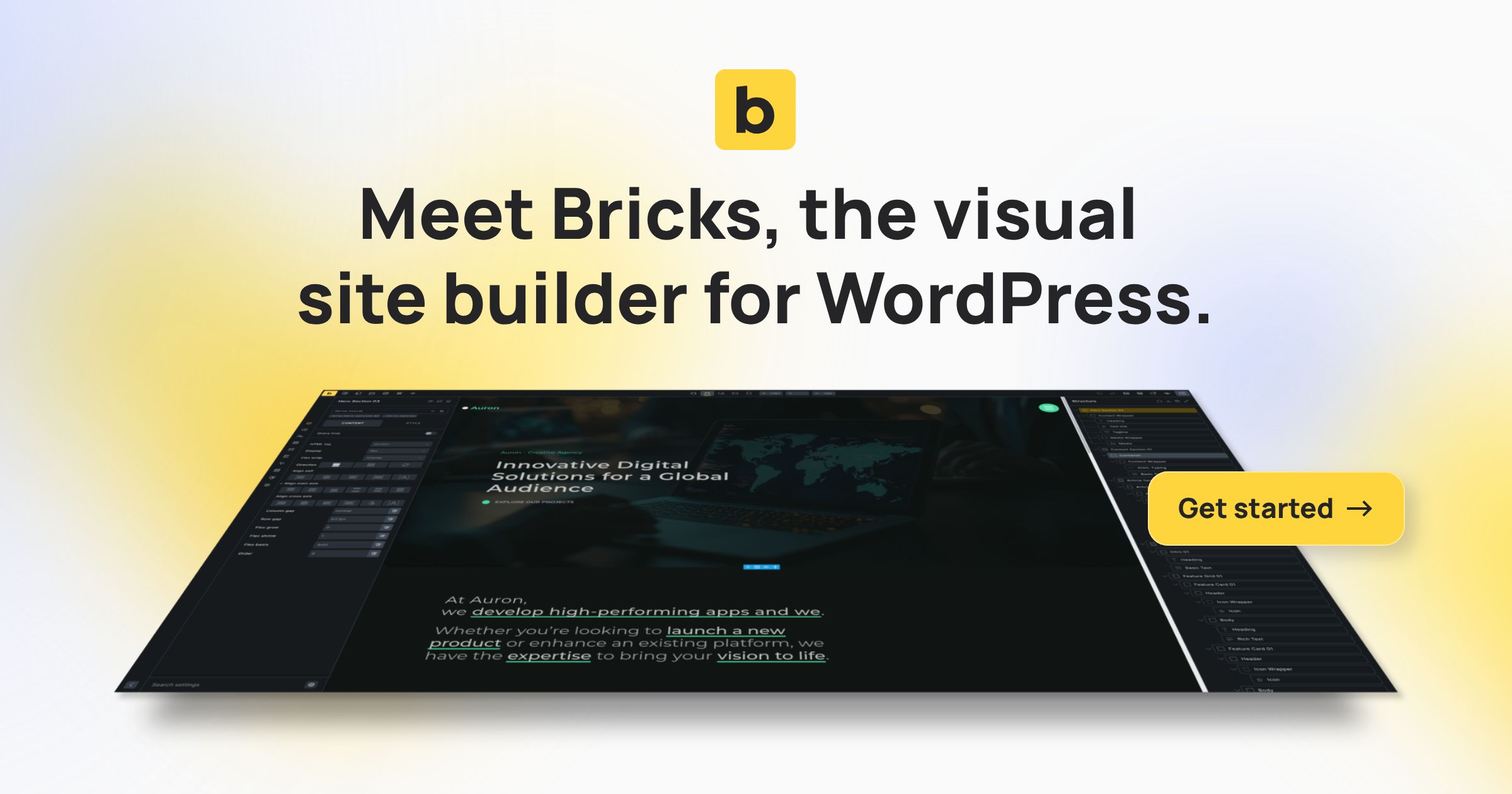
Bricks 2.4.2
Bricks 2.4.2 improves Media Browser folder navigation and adds actions for completed uploads. It also fixes HappyFiles folder browsing, native link styling in the Gutenberg editor, and Product Gallery thumbnails after WooCommerce variation changes.bricksbuilder.io
Download Bricks Builder v1.5.1-rc - Build WordPress Sites That Rank Nulled
Aug 30, 2022 - Release v1.5.1-rc
As this version contains many significant styling-related changes, we decided to first do a quick RC release. Which you can now manually download from your Bricks account for testing & bug reporting using the following link: https://bricksbuilder.io/account/?v=1.5.1-rc
Full v1.5.1-rc changelog can be found here as too lengthy to list fully here.
Bricks 2.4.2
Bricks 2.4.2 improves Media Browser folder navigation and adds actions for completed uploads. It also fixes HappyFiles folder browsing, native link styling in the Gutenberg editor, and Product Gallery thumbnails after WooCommerce variation changes.
Download Bricks Builder v1.5 - Build WordPress Sites That Rank Nulled
Aug 9th, 2022 - Release v1.5
This version comes with 150+ changes. A lot of new features, improvements, and bug fixes with a focus on providing a more powerful & streamlined workflow & interface.
Full v1.5 changelog can be found here as too lengthy to list fully here.
Bricks 2.4.2
Bricks 2.4.2 improves Media Browser folder navigation and adds actions for completed uploads. It also fixes HappyFiles folder browsing, native link styling in the Gutenberg editor, and Product Gallery thumbnails after WooCommerce variation changes.
Download Bricks Builder v1.5rc2 - Build WordPress Sites That Rank Nulled
Release 1.5 (RC2)
Do not run the 1.5 BETA or RC (release candidate) on any live/production website! It is meant ONLY FOR TESTING and providing feedback (ideally via the forum) to help us release the best possible stable 1.5 (scheduled for the first week of August).
You can download the 1.5 RC from your Bricks account page (https://bricksbuilder.io/account) or try it over at the free playground: https://try.bricksbuilder.io (available on Sunday)
Full v1.5 changelog can be found here as too lengthy to list fully here.
Bricks 2.4.2
Bricks 2.4.2 improves Media Browser folder navigation and adds actions for completed uploads. It also fixes HappyFiles folder browsing, native link styling in the Gutenberg editor, and Product Gallery thumbnails after WooCommerce variation changes.