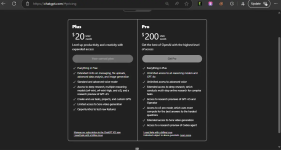
ChatGPT Plus cookies For All #14th July
 How to Use (Step-by-Step Tutorial)
- Install Cookie Editor Extension
- Import the Cookie
- Visit chatgpt.com.
- Open the Cookie Editor extension in your browser.
- Click on the “Import” option.
- Paste the content from the downloaded cookie file.
- Reload the site.
- Access ChatGPT
- Reload the site after importing cookies.
- You should now have access to ChatGPT Plus features.
- Troubleshooting
- If you are logged out or it’s not working, let me know in the thread—I’ll upload new or fix the cookie as needed.
 Important Notes
- I see that the cookies got expired within a day this means many people are leeching it. So i decided to upload more cookie files instead of just 1.
- If 1st gets logged out then use another one.
- No spam responses, please!
- To access the content, kindly like and respond to this post appropriately, then refresh the page. The content will become visible after that.
*** Hidden text: cannot be quoted. ***




