[Help] Woocommerce Variation Not Working

  • Welcome to Babiato Forum! All Resources are 100% clean and Safe to Use

swamyji

Active member
Banned User
May 2, 2022
116
27
28
Indore
codeair.tech
Hey Babiato Fam,

Is there any wordpress expert here (only professional)

I need some help! Got stucked with woocommerce.
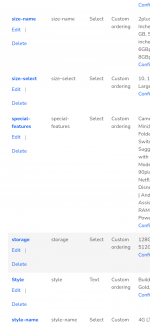
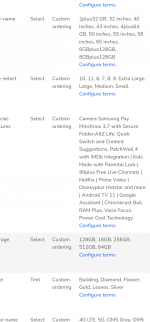
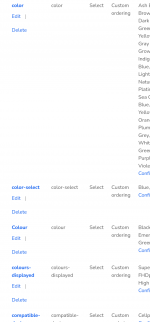
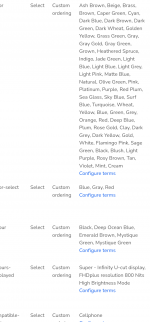
  • Variable product is not working, no size and color selection.
  • When selected the buy now and add to cart option disappears.
  • When adding product variations in product edit page, it says, "Before you can add a variation you need to add some variation attributes on the Attributes tab."
But there are already more then 40 variations added for our use. Any help would be highly appreciated.

Weblink for checking live: https://martoffers.in

I'm sharing few screenshots for understanding easily.

Screenshot_20220710-134949_Chrome.pngScreenshot_20220710-135034_Chrome.pngScreenshot_20220710-135134_Chrome.pngScreenshot_20220710-135138_Chrome.pngScreenshot_20220710-135156_Chrome.pngScreenshot_20220710-135159_Chrome.png
 

Akera

Active member
May 25, 2022
82
109
33
Hey Babiato Fam,

Is there any wordpress expert here (only professional)

I need some help! Got stucked with woocommerce.
  • Variable product is not working, no size and color selection.
  • When selected the buy now and add to cart option disappears.
  • When adding product variations in product edit page, it says, "Before you can add a variation you need to add some variation attributes on the Attributes tab."
But there are already more then 40 variations added for our use. Any help would be highly appreciated.

Weblink for checking live: https://martoffers.in

I'm sharing few screenshots for understanding easily.
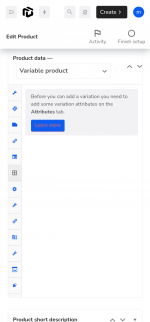
Screenshot_20220710-134949_Chrome.pngScreenshot_20220710-135034_Chrome.pngScreenshot_20220710-135134_Chrome.pngScreenshot_20220710-135138_Chrome.pngScreenshot_20220710-135156_Chrome.pngScreenshot_20220710-135159_Chrome.png
Dear @swamyji

I've checked the Product that you have tried to upload.

Product >> Attributes >> Expand Your Attributes Colour / Size. Use check Box (Use it as Variation)
then click on Variations Tab >> From Drop Down Select Option Create Variations

There you go your Issue has been Resolved :)
 

swamyji

Active member
Banned User
May 2, 2022
116
27
28
Indore
codeair.tech
Dear @swamyji

I've checked the Product that you have tried to upload.

Product >> Attributes >> Expand Your Attributes Colour / Size. Use check Box (Use it as Variation)
then click on Variations Tab >> From Drop Down Select Option Create Variations

There you go your Issue has been Resolved :)
Thankyou so much for this kind information. I will follow this now 😄
 
  • Like
Reactions: Akera

zzn

Member
Banned User
Jul 27, 2022
89
8
8
Hopefully you fixed this already. All attributes have a checkbox "Used for variations".
 

About us

  • Babiato Forum - The webmaster community has been around for many years and pride ourselves on offering unbiased, critical discussion among people of all different backgrounds. We are working every day, updating Daily resource to make sure our community is one of the best.

Quick Navigation

User Menu