

How to get/null Pinegrow Web Editor Pro
- Thread starter r0manas
- Start date
-
Welcome to Babiato Forum! All Resources are 100% clean and Safe to Use
You are using an out of date browser. It may not display this or other websites correctly.
You should upgrade or use an alternative browser.
You should upgrade or use an alternative browser.

mrdankutz
New member
- Feb 19, 2020
- 6
- 1
- 3
Hi. Can't view the image you posted. Can it please be posted again. Thanks.
download the trial and follow the instruction


- Jul 19, 2018
- 64,532
- 66,635
- 120
Working fine.Can confirm latest version working fine on windows. Many thanks

3Lions
Member
- May 7, 2020
- 71
- 33
- 18
I meant I was confirming that it was working fine for meWorking fine.


shikite
Active member
Recenly Update | Windows

Active Plugin working fine
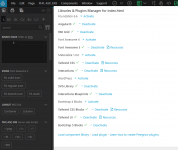
Pinegrow Web Editor 6.8 August 25, 2022
Latest version working fineActive Plugin working fine

Frank Ward
New member
- Nov 20, 2022
- 9
- 2
- 3
cubical4854
New member
- Nov 27, 2022
- 1
- 0
- 1
It doesn't work for the last update.Download Pinegrow Web Editor from official site:
After installing
Win:
- In the file:
Mac:Code:Pinegrow Web Editor\components\dialog-intro-new.htmlCode:Pinegrow.app\Contents\Resources\app.nw\components\dialog-intro-new.html
Linux:Code:I'll update later when I'll get to linux device ^^
- On line 144 find the element:
HTML:<p class="text-center"><button type="button" class="btn btn-default cancel btn-primary"> Use Pinegrow </button></p>
- Replace with the button element to close the modal window:
HTML:<p class="text-center"><button type = "button" class = "open" data-dismiss = "modal" aria-hidden = "true">Open Pinegrow</button></p>


This "hack/trick" bypasses the registration and opens the app
This way you can use/enjoy unlimited trial
EDIT: Just noticed that the "button" automatically adds "Web Editor"
In the example I used "Open Pinegrow Web Editor"
so it became "Open Pinegrow Web Editor Web Editor"

mrdankutz
New member
- Feb 19, 2020
- 6
- 1
- 3
It worked, I had to block the firewall permissionWorks for me
shikite
Active member
DarkAngel89
New member
- May 2, 2022
- 19
- 7
- 3
shikite
Active member
go to forum releaseActive plugin? they said it will not be released until the 5th? Where did you download
DarkAngel89
New member
- May 2, 2022
- 19
- 7
- 3
shikite
Active member
go to their official website, you can see download button with version 7 release nowCan you send a link it appears is not there anymore. Thank you

