

[Guide] LinkedIn Premium Perks: NørdVPN, Lovable, Notion Business & Headspace
LinkedIn Premium Partner Perks
NørdVPN, Lovable, Notion Business, and Headspace
LinkedIn Premium currently lists several complimentary partner benefits for eligible subscribers. Availability can vary by region, account, and whether you are a first-time user of the partner service.
What LinkedIn officially lists
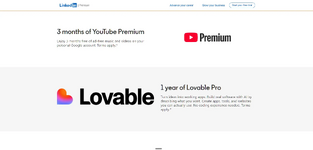
 NørdVPN Basic — 3-month free trial Lovable — one-year benefit with 300 one-time credits Notion Business — 3-month free trial Headspace — 4-month free trial
How to check and claim
1. Sign in to your LinkedIn account.
2. Activate an eligible LinkedIn Premium subscription or free trial.
3. Open the official Premium Perks page:
4. Check which offers appear on your account and review each partner's eligibility and renewal terms.
5. Redeem the offers you are eligible for using the unique single-use codes or links provided by LinkedIn.
Important eligibility note
LinkedIn says members using an eligible Premium free trial can redeem Premium Perks only after the free trial ends and the first Premium subscription payment is made. If an offer says “unlock after renewal,” wait until your account becomes a ρáíd Premium subscription, then check the Perks page again.
Billing and renewal warning
 LinkedIn Premium and each partner subscription have separate billing and renewal terms. Partner trials may renew at the normal price unless canceled before their renewal dates. Do not assume a LinkedIn payment will automatically be refunded. Refund eligibility depends on LinkedIn's billing policy, purchase channel, location, and approval. Review the exact price, next billing date, and cancellation terms before activating anything.
Official details and current eligibility:
Reminder: Benefits are intended for the primary LinkedIn Premium account holder, codes are single-use, and partner offers are generally limited to first-time users. Offers and supported regions may change without notice.


