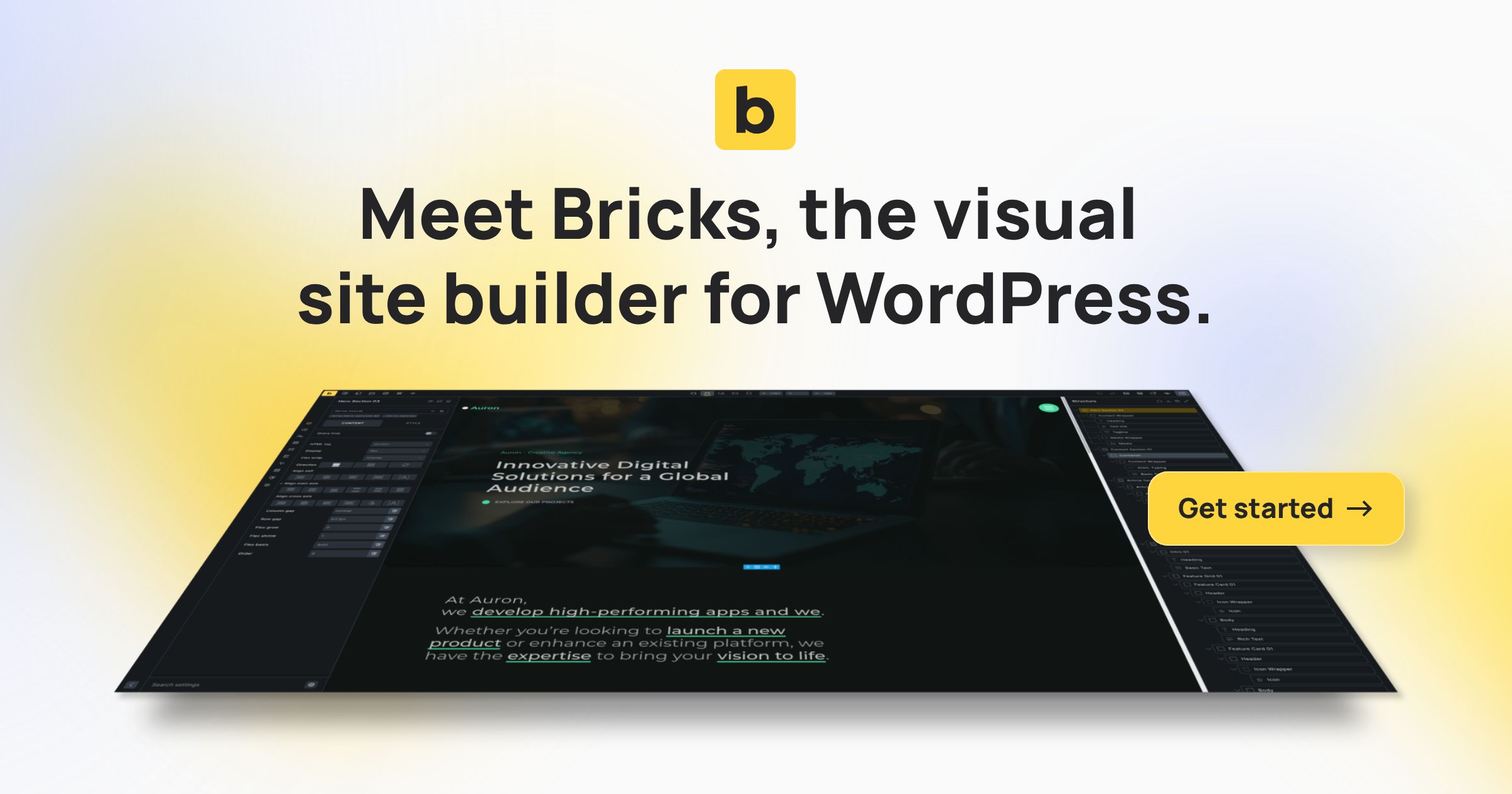
Bricks Builder - Build WordPress Sites That Rank

Bricks Builder - Build WordPress Sites That Rank v2.3.10 Nulled + Child theme

No permission to download
Decryption key:


Bricks Builder - Build WordPress Sites That Rank v2.0 Nulled

🧱 Builder Features & Enhancements​

  • Builder Capabilities (learn more)
    Create fully-custom builder capabilities from 50+ granular permissions that let you control who can access which post types, content, styles, components, and more. Assign a capability to specific users and/or user roles.
  • Element Manager (learn more)
    Enable or disable individual Bricks elements globally to streamline the builder interface and remove unused clutter.
  • Font Manager (learn more)
    Manage and preview all your fonts directly within the builder. Download any Google Font with one click to host it locally. Manage all your Custom Fonts, Adobe Fonts, and save them as Favorites for instant access without searching.
  • Icon Manager (learn more)
    Upload and organize (SVG) icon sets inside the builder, including preview, search, and visibility controls. Disable any icon set with one click, including built-ins.
  • Command Palette (learn more)
    A fast search-based command runner (CMD/CTRL + K) to quickly navigate to core parts of the builder (scope: builder). Browse, create, and duplicate any post type (scope: builder), and insert elements or entire structures (scope: elements).
  • Element: Quick Access Bar (learn more)
    Quickly navigate between the element tabs and control groups—100% keyboard-accessible.

🎨 Styling, Layout, and Visual Control

  • Visual CSS Grid Builder (learn more)
    Design CSS grids visually with drag-and-drop support for rows, columns, and even looped content.
  • Inherited Setting Indicator (learn more)
    See whether a property is inherited from a class, breakpoint, or pseudo-element—click to jump to the source.
  • Selector UI: Visual Styling for Any Element (learn more)
    Target and visually style any selector within any element.
  • Selector Detector (learn more)
    Select any node inside the currently active element on the canvas to style it 100% visually through the new Selector UI.
  • Pseudo Classes/Elements: New Location (learn more)
    Pseudo states :)hover, :after, etc.) are now part of the new Selector UI.
  • Theme Styles: Loading Methods (learn more)
    Choose between loading only the most specific (= default) or all matching theme styles.
  • Theme Styles: Stylesheets (learn more)
    Add your own CSS to any Theme Style under the new “Stylesheet” control group.
  • Theme Styles: Contextual Spacing (learn more)
    Adjust the default spacing for a clean slate and a consistent, flexible spacing system.
  • SVG Styles: Breakpoint & Class Support (learn more)
    Style your SVGs visually (height, width, stroke-width, stroke-color, fill) on any breakpoint and global class.
  • Classes & Variables Dropdown: Toggleable Categories (learn more)
    Organize class and variable lists by toggling categories—helps manage complex styling systems.

🔧 Workflow & UX Improvements

  • Builder UI: Revamped (learn more)
    Cleaner interface, reorganized controls, more contrast, and consistent design language across all panels.
  • Bulk-Edit Elements (learn more)
    Select multiple elements to style, wrap, or reposition them simultaneously.
  • Context Menu: Unwrap (learn more)
    Right-click to “unwrap” an element from its container, flattening the structure in one click.
  • Variable Manager: Color Editor (learn more)
    Edit and preview color variables visually.
  • Hide Element (Builder/Frontend) (learn more)
    Instantly hide elements from both the builder and the frontend via a simple toggle.
  • Orphaned Elements Scan & Review (learn more)
    Detect and clean up disconnected or broken builder elements from older or faulty templates. Runs on every builder load. Site-wide check under Bricks > Settings > Orphaned Elements Review

🧩 Components & Structure

  • Nested Components (learn more)
    Reuse components within components—enabling modular layouts and streamlined updates.
  • Components Leave Experimental Stage (learn more)
    The previously experimental feature is now stable and can be used in production.
  • New Property Types for Component Variations (learn more)
    Add toggles, selects, and global class pickers to your components to make them even more dynamic and customizable.

⚙️ Performance & Technical Changes

  • Builder: New Render Logic (learn more)
    Under-the-hood rendering improvements reduce load times and improve responsiveness during editing.
  • BREAKING CHANGE: Cascade Layers Enabled by Default (learn more)
    CSS Cascade Layers are now active, meaning theme styles, user styles, and component styles are properly isolated.
  • DEPRECATED: Global Elements (learn more)
    Components have replaced global elements. Existing global elements are still rendered for now, but no longer supported, and no new global elements can be created. A Global Elements Converter is available under Bricks > Settings > General.

🛠️ Element-Specific Enhancements

  • Form Element: Webhook Action (learn more)
    The new form action, “Webhook,” allows for direct integration with third-party services through form submissions.
  • Map Element: Query Loop & Sync with Query (learn more)
    Configure a query loop directly on the map or sync with another query loop for dynamic location rendering. Map Clusters are supported. Custom markers, in text or image format, can be set using dynamic data for every map location.
  • WooCommerce: Product Variation Swatches (learn more)
    Built-in visual swatches (types: color, image, text label) for variable products enhance store presentation and user interaction.
  • Interactions for WooCommerce Events (learn more)
    Add custom interactions for WooCommerce events, such as ‘Added to cart’, ‘Remove from cart’, ‘Cart updated’, ‘Coupon applied’, and ‘Coupon removed’.
We hope you enjoy the most significant update and take some time to explore and integrate the new features and workflows into existing and new Bricks site builds 🔥

Full changelogs
Decryption key:


Bricks Builder - Build WordPress Sites That Rank v2.0-RC Nulled
No changelogs found!
Decryption key:


A big “Thank You” goes out to all the 2.0-alpha testers. You shared a lot of great improvements and discovered all those bugs; we didn’t.

This 2.0-beta release tackles those improvements and bug reports, as well as some important new features, that didn’t make it into the alpha release.

New property types for component variations​

Components received another upgrade by introducing the following new property types, which bring new component variation capabilities to Bricks:

  • Select: Connectable with any select/text/textarea control
  • Toggle: Connectable with any toggle control, incl. the new “Hide element” toggles (showcased below)
  • Global classes: Connectable with the global classes control of any element inside your component.
Examples and more in-depth explanation: https://academy.bricksbuilder.io/article/components/#variations

The property form has been streamlined to improve productivity.

Specific properties can now be edited by hovering over the property on the instance, then clicking the “edit” icon.

Hide element (builder/frontend)​

Easily hide any element in the builder and/or frontend with one click from the context menu, or by clicking the “eye” icon in the element panel header.

Connectable through the new “Toggle” property, it allows for component variations by showing/hiding elements inside the component instance.

Decryption key:


Download Bricks Builder v1.12.3 - Build WordPress Sites That Rank Nulled Free

  • Like
Reactions: stroystream
Decryption key:


Download Bricks Builder v1.12.2 - Build WordPress Sites That Rank Nulled Free


Decryption key:


Download Bricks Builder v1.12.1 - Build WordPress Sites That Rank Nulled Free

Decryption key:


Full changelog
  • Builder: Search individual post with 100+ results issueFix
  • Dropdown: Caret styling incorrectFix
  • Image: Attribute “sizes” new auto value causes image width issue (WordPress 6.7)Fix
  • Dropdown: Nested dropdown doesn’t open on hoverFix
  • PHP warning: undefined array key “optionMetaValue” (filter-base.php)Fix
  • Products element: Query setting not workingFix
  • Query Loop (Main Query) with exclude terms causes fatal PHP errorFix
  • WooCommerce 9.4.1: Update outdated Woo templateFix
  • WooCommerce: Checkout Coupon: JS error (if Bricks Woo Notice disabled)Fix
  • WordPress 6.7: Bricks translations not loadingFix
  • Product Cart Cross Sell: Heading setting not appliedFix
Decryption key:


Decryption key:

  • Builder: Resizable structure panelNew
  • Form element: Provide user role setting for action “User registration”New
  • Builder: Element breadcrumb navigationNew
  • Builder: Save button indicator for unsaved changesNew
  • Form element: Set value & label options (checkbox, select, radio)New
  • Link control: New “Taxonomy (Term)” optionNew
  • Link control: Set URL parameters for internal linksNew
  • Google Maps: Use without API key (through Embed API)New
  • Maintenance mode: Don’t render popups by default (enable in Bricks settings)New
  • My Template import: Support image import (builder)New
  • Offcanvas: New settings to disable auto-focus and scroll-to-topNew
  • Tabs & Nestable Tabs element: New setting to open tabs on hoverNew
  • Product Title element: New setting “Link to product”New
  • SVG element: New “Link” settingNew
  • Template screenshots: Generate screenshots on “save as a template”New
  • WooCommerce: Support creating “Quick View” via AJAX popup (incl. gallery, reviews)New
  • Builder: Input fields cause moving #bricks-panel-innerImprove
  • Builder: Attribute name validation (not on frontend to prevent unintended attribute removal)Improve
  • Builder: Improve toolbar on mobile (smaller icons, horizontal scroll)Improve
  • Builder: Settings indicator reset not 100% clickableImprove
  • Builder: Support parsing DD tags in element attribute name and valueImprove
  • Custom Login Page: Auto-close WP session expired modal after successful log inImprove
  • Prevent potential XSS vulnerability through custom HTML tag settingImprove
Decryption key:


  • Show Modified Element & Class Settings
  • Lightbox: Thumbnail Navigation (Carousel, Image Gallery)
  • Generate Screenshots In-Bulk & On-Save
  • Code Element: Separate inputs for HTML/PHP, CSS, JS
  • Syntax checking in CSS editor
  • Lightbox Caption (Carousel, Image, Image Gallery)
  • Lightbox: Image click action (Disable zoom, etc.)
  • Lightbox: Padding (px) setting
  • Dynamic Data: Text & Image Fallback
  • Builder: New “Copy: Bricks ID” to clipboard button in element panel & context menu
  • Popups: Support ‘Populate content’ setting
  • WooCommerce: New query loop controls for “On sale”, “Featured”, “Hide out of stock”, “Upsell”, “Cross-sell”
  • Theme Styles: Links “CSS selectors” setting (extends default CSS selectors)
  • Reading Time element: Support query loops
  • Bricks > System Information: meta_value column type check
  • Bricks settings: Builder > Variable dropdown: Hide value
  • Comments element: New setting “Author HTML tag”
  • Icon List element: New setting “Icon size” & “Label size”
  • Search element: New setting for icon border & box-shadow
  • WooCommerce Product Price filter: Set currency symbol and position
  • WooCommerce Account – Page element: New setting “Disable navigation”
  • Page settings: Custom CSS breakpoint support
  • Code element: Vim bindings (Bricks > Settings > Builder > Code control: Vim)
  • Element conditions: New compare operators: Is empty, Is not empty (for dynamic data)
  • Code control: CSS linting
  • Query Filters: Schedule indexer (for huge websites)
  • Icon List element: “Icon size” & “Icon color” setting (for all icons)
  • WooCommerce Cart Totals: Button width (new control)
  • Accessibility: Use :focus-visible instead of :focus
  • Builder: Add custom HTML attributes to the canvas (from Bricks filters & element settings)
  • Builder: Deprecate setting “Inner container/div”
  • Builder: Switch to preview shouldn’t reset the canvas

About us

  • Babiato Forum - The webmaster community has been around for many years and pride ourselves on offering unbiased, critical discussion among people of all different backgrounds. We are working every day, updating Daily resource to make sure our community is one of the best.

Quick Navigation

User Menu