WooCommerce WhatsApp Order - Receive Orders using WhatsApp - WooCommerce Plugin

WooCommerce WhatsApp Order - Receive Orders using WhatsApp - WooCommerce Plugin v3.1.1

No permission to download
  • Welcome to Babiato Forum! All Resources are 100% clean and Safe to Use

garconposey

New member
May 4, 2022
12
14
3
Does this happen to anyone else?

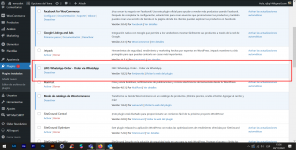
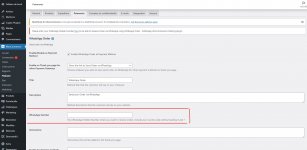
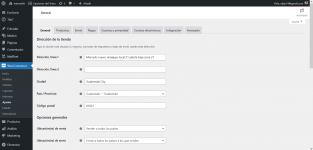
Install the plugin and activate it and it does not appear in woocommerce I will leave a capture.

1669671388789.png1669671300238.png
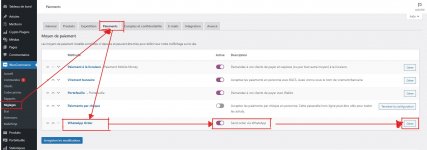
To set up this plugin, you need to go to the WooCommerce Menu, then click on →Settings, then →Payment.
From the page that appears, you can check the button in front of →WhatsApp Order to enable it, then click →Manage.

On the page that will appear, configure your preferences, but don't forget to fill in your →WhatsApp number to receive orders. That's all
 

Attachments

  • Capture d’écran 2023-02-01 214149.jpg
    Capture d’écran 2023-02-01 214149.jpg
    180.4 KB · Views: 16
  • Capture d’écran 2023-02-01 214440.jpg
    Capture d’écran 2023-02-01 214440.jpg
    181.9 KB · Views: 16

tanierlyons

Well-known member
Staff member
Administrative
Moderator
May 24, 2018
78,069
112,320
120

Forum statistics

Threads
73,530
Messages
953,616
Members
282,133
Latest member
Harry747568

About us

  • Babiato Forum - The webmaster community has been around for many years and pride ourselves on offering unbiased, critical discussion among people of all different backgrounds. We are working every day, updating Daily resource to make sure our community is one of the best.

Quick Navigation

User Menu